MyDrive Direct: Direct access for Windows
Connect MyDrive directly to your computer.
- Download MyDrive Direct and install it.
- In MyDrive Direct, click on Add.
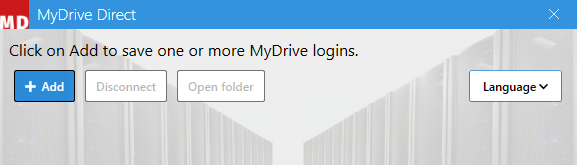
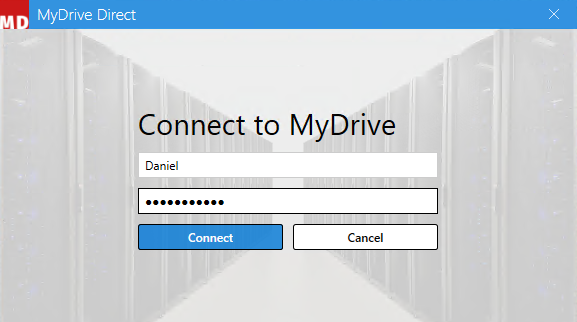
- Enter your login details and select Connect.
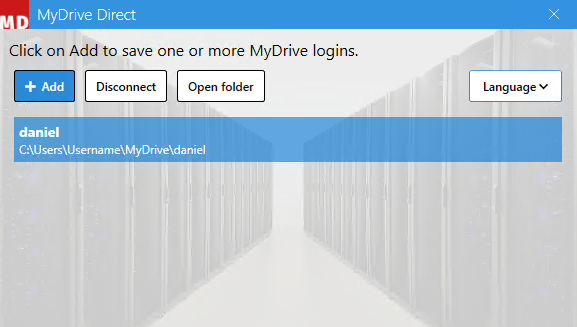
- Click on your newly created connection and then select Open folder.
- Here you will see all the data from your MyDrive cloud storage and can work with it as normal.
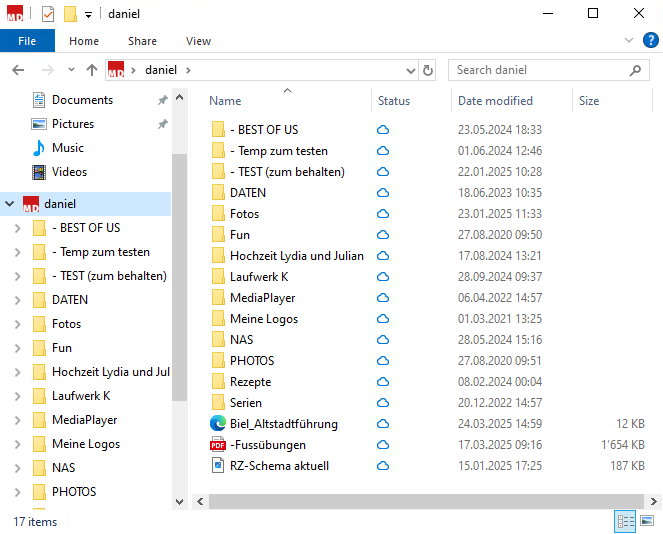
Icon descriptions
| Symbol | Meaning of the symbol |
 |
Files and folders are synchronized and automatically downloaded when opened. |
 |
Files and folders are synchronized and have already been downloaded. |
 |
Files and folders are currently being synchronized. |
 |
A file or folder cannot be synchronized. |
 |
A file or folder is ignored and not synchronized. |